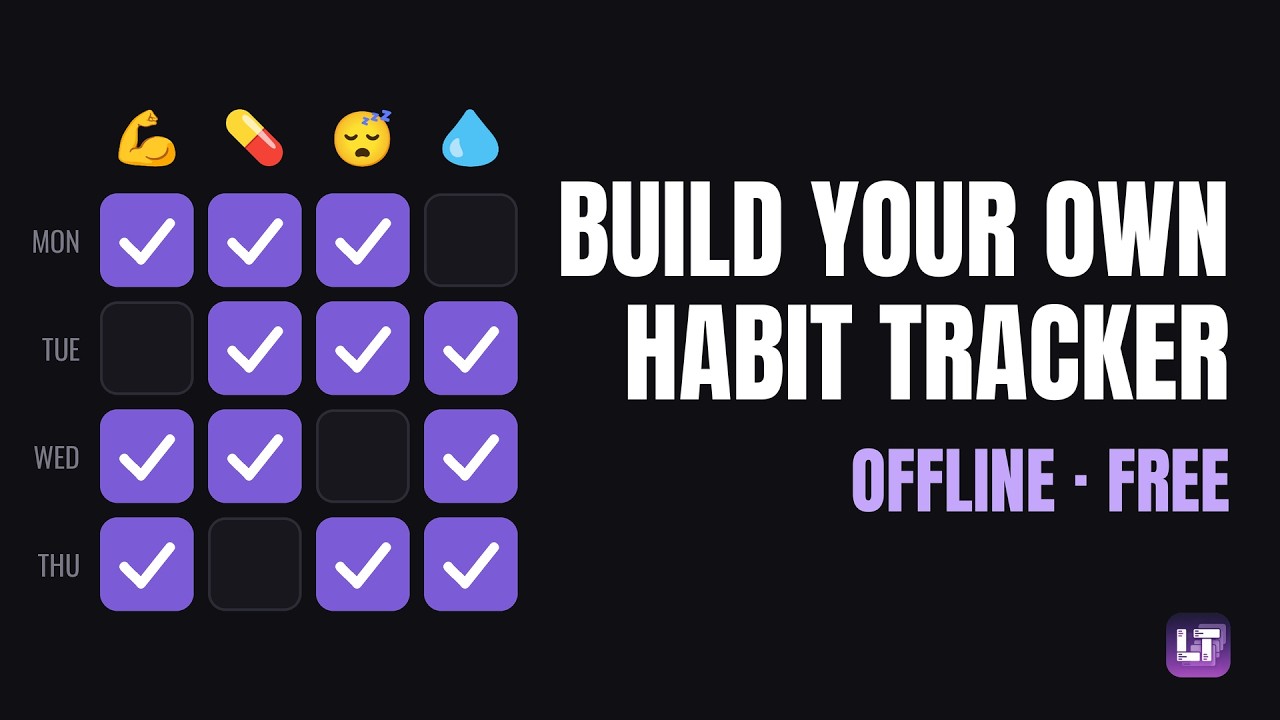
The full walkthrough, from a fresh install to two working categories — or read on for the written version.
The streak decides what counts as a habit
The standard habit app hands you one shape: a thing you do every day, ticked once, with a counter that resets when you miss. It is a good fit for flossing and a bad fit for most of the rest.
You train legs every few days, not every day. You deep-clean the flat about once a month. You take one supplement daily and another only when you remember. Under a daily streak, two of those three read as failure most of the week — not because anything went wrong, but because the tool only knows one rhythm.
A tracker that calls a rest day a failure is measuring its own rules, not your life.
What you actually need is "when did I last do this"
This is the part worth the whole article. In the month view, every mark carries a small number: how many days had passed since the previous time that field was filled. Today's row shows it too, even before you check anything.
So the question you open the app with — what should I do today? — is answered by looking at one row. Legs three days ago, back eight: that is usually enough to decide, and it is a decision a streak counter cannot help you make, because a streak only knows whether the chain is intact.
A gap stops being a failure and becomes the measurement. That reframing is most of what separates this from a checklist app.
Categories are domains, fields are what you track
There are only two concepts to hold. A category is one domain of your life you want to follow: workout, supplements, sleep, work. A field is one specific thing inside it — chest, back, legs, abs.
Nothing forces two categories to look alike, and you add as many as you need. That is the whole structure, and it is why the setup takes about two minutes per domain rather than an evening.
Setting up a habit category
- Create the category. A name and an emoji, so you recognise it at a glance on the home screen.
- Add your fields. One per thing you actually want to follow. Leave the data type as checkbox unless you need something else — for most habits a checkbox is the honest answer.
- Check today. One click on what you did. That is the entire daily cost of the system.
- Open the Month tab. Rows are days, columns are your fields, and the days-since numbers appear as soon as there is anything to compare.
The month view, and why backfilling matters
Any past cell is clickable. There is no lock-out window, no "you can only log today", no penalty for filling in Tuesday on Thursday.
This sounds minor and is not. Forgetting to log on the day is the single most common way a tracking habit dies: the record drifts from reality, you know it is wrong, and you stop trusting it. Letting you repair the past is what keeps the history worth reading a year later.
Future cells work the same way, in the other direction. Check a day that has not happened yet and it becomes programmed — it shows up in the day view when that day arrives, as something you intended to do.
Beyond a checkbox
The video stays deliberately basic: every field it creates is a checkbox. The daily side goes considerably further, and this is what is waiting once the structure makes sense.
- Other field types. A number (glasses of water), a rating with stars, levels or moods (sleep quality), a timer (time spent, optionally attributed to a specific project or film), a checklist, a free note.
- Quotas. A target over a period, with a gauge that fills as you go — a floor to reach, or a ceiling not to exceed.
- Contracts. The rhythm you want to hold — three sessions a week. This is where streaks live, and they count periods you held rather than consecutive days, which is the version of a streak that survives contact with a real schedule. It is also what feeds the screen below.
- Scores. Turn a category's fields into a single number per day, and a graph over time.
What is due today, across every category
Put a contract on a field and it appears on the Contracts screen. This is the app's reminder dashboard, and unlike everything else it is not scoped to one category: it reads across all of them at once. It has two halves.
The top is the quota dashboard: every field you put under contract, with its gauge for the current period. Floors and ceilings sit side by side, so train three times this week and no more than two coffees a day are read the same way. You choose globally whether a period is a rolling window or a fixed one that resets each cycle.
The bottom is today's program: a single list, drawn from all your categories at once, of what this particular day is supposed to contain. Three things land in it.
- A recurrence coming due. This is the ordinary reminder. On a field under contract you set either specific weekdays — every Thursday, or Monday-Wednesday-Friday — or a cycle: every day, every other day, every n days from a starting date. When the day matches, the field shows up.
- Anything you programmed by hand. The future cells you checked in the month view. These appear whatever the recurrence says, and they are listed first.
- A punctual checklist with tasks waiting. A one-off list attached to a day is a plan for that day too, so it surfaces here alongside the rest.
When there is nothing, it says so. The practical effect is that the question "what am I supposed to do today" has one screen as its answer, rather than a tour of every category.
Where the data lives
Your categories and their entire history are stored locally on your device — that is the whole storage model, with no server copy that counts as the real one. In practice:
- No account. Open it and create a category. Registration exists only for the optional cloud plan, which adds sync and backup.
- It works with no connection. Daily tracking never touches the network.
- Queryable. On desktop the database is a plain SQLite file: open it in any SQLite browser and ask it things no menu offers.
- It is not a habit app. The same database also holds your films, books, games and shows. One tool, one file, one backup.
An honest comparison
Dedicated habit apps do things this does not, and the trade is a real one rather than a marketing point.
| LifeTracker | Hosted habit apps | |
|---|---|---|
| Where the data lives | Your device | Their servers |
| Works offline | Yes | Varies |
| Account required | No | Usually |
| What counts as a habit | You define it | A daily checkbox |
| Things you do every few days | Days-since column, contracts per period | Read as a broken streak |
| Field types | Checkbox, number, rating, timer, checklist, note | Checkbox, sometimes a count |
| Filling in a day you forgot | Any past cell, no penalty | Often limited |
| Other kinds of tracking in the same app | Collections too | Habits only |
| Recurring reminders | Weekdays or every n days, on one screen for all categories | Per habit |
| Push notifications | No | Yes |
| Avatars, XP and social accountability | No | On some |
The last two are the genuine losses. Reminders exist here, but you have to open the app to see them: nothing buzzes at 8am, and no guild notices when you skip. If being interrupted is what makes you do the thing, a dedicated app is built for that and this is not. What you get instead is a record that bends to your rhythms rather than the reverse, sitting in the same database as everything else you keep track of, on hardware you own.
Frequently asked questions
Can I track something I only do twice a week?
That is what the month view is built around. Every mark carries the number of days since the previous one, so a gap is information rather than a broken chain. If you want a target on top, a contract lets you state the rhythm you actually want to hold.
Does LifeTracker have streaks?
Yes, but attached to contracts rather than to days. You define the period and the target — three times a week — and the streak counts the periods you held, not consecutive days. A rest day inside a period you met does not break anything.
Can I fill in a day I forgot to log?
Yes. Any past cell in the month view is clickable, with no lock-out window and no penalty. Forgetting to log on the day is the most common reason people abandon a tracker, so nothing here punishes it.
Does it remind me of anything?
Yes, on the Contracts screen, which gathers every category in one place. Put a field under contract and give it a recurrence — specific weekdays, or every n days — and it appears in today's program when the day comes round, alongside anything you programmed by hand and any punctual checklist with tasks waiting. The same screen carries your quota gauges, floors and ceilings together. What it does not do is push a notification: you see it when you open the app.
Is there a habit tracker that works without an account?
Yes. Your categories and history live locally and no registration is required. Desktop, Android and web all work without signing up; an account only comes into it for the optional cloud plan.
Is LifeTracker free?
The app is free to use, with all features and no limits. A paid cloud plan covers optional sync and backup across devices.
Build your first category
No account, no setup. Open it and pick one domain of your life.